
See what you have covered with the coverage map
The coverage map is your original PDF with the passage behind each question marked, so you can see at a glance what you know and what to review.
No sound: follow the captions.
Transcript
On the document page, tap the closed-book button on the left of Generate more questions. Your original PDF opens with the passage behind each question marked: green where you answered right, red where you answered wrong, and grey where you have not answered yet. Scroll to move through the document, or use the arrows at the bottom. The bar at the bottom shows Correct and Wrong as shares of the questions made.
Open the map
Section titled “Open the map”-
Find the button. On the document page, the small closed-book button on the left of Generate more questions opens the Coverage map.
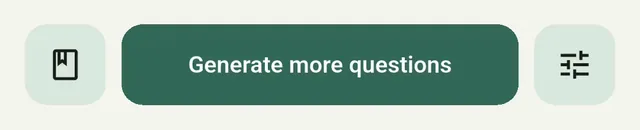
The closed-book button on the left opens the coverage map. -
Read the colours. Your PDF opens with the passages marked:
- Green: you answered the last question on this passage right.
- Red: you answered it wrong.
- Grey: you have not answered a question on it yet.
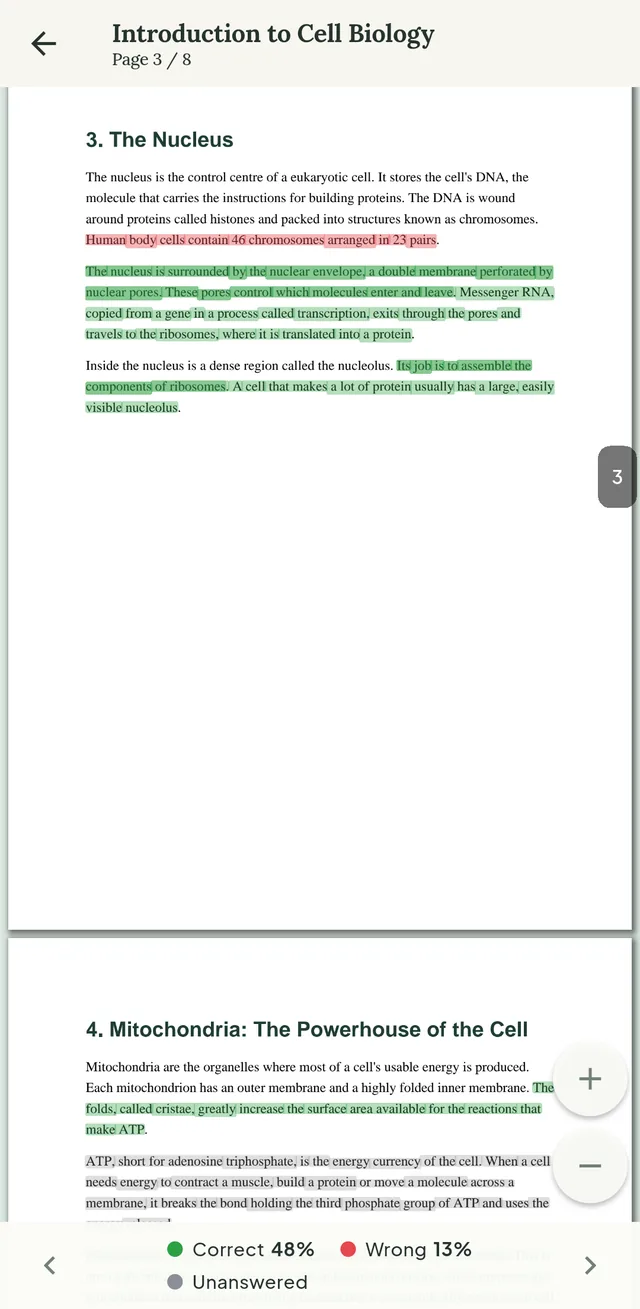
Green: answered right. Red: answered wrong. Grey: not answered yet. -
Move around. Use Previous page and Next page, and the zoom buttons, to go through the document.
The numbers at the bottom
Section titled “The numbers at the bottom”The bar at the bottom of the map shows Correct, Wrong and Unanswered. The percentages next to Correct and Wrong are measured against the questions made, so a small number early on is normal. Use the arrows on either side to go to the previous or next page.
From a question to the page
Section titled “From a question to the page”You can also reach the same passage from a question. After you answer, tap View in original PDF and the viewer opens at that page with the passage highlighted. See Find where an answer comes from.
What to do next
Section titled “What to do next”Go back to the red passages and practise those questions again. On the results screen of a study set, Review Wrong Answers and then Practice weak areas do this for the questions you just missed.