
Choose how many multiple-choice and essay questions
A standard study set has 17 multiple-choice questions and 3 essay questions. If you would rather practise with more essays, or with none, you can choose the mix yourself.
No sound: follow the captions.
Transcript
Next to Generate more questions there is a settings button. Tap it to open the custom panel. The ring shows how many questions the study set will have, and two sliders set how many are multiple choice and how many are essays. Drag the Essay slider up and Multiple choice makes room, because a set holds up to 20 questions. Reset puts the sliders back to 17 and 3. Tap Generate to make a study set with your mix, or Set as Default to keep it for every study set.
-
Open the custom panel. Next to Generate questions (or Generate more questions) there is a small settings button on the right. Tap it.
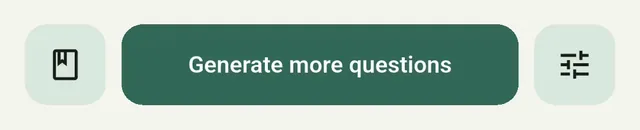
The settings button on the right opens the custom panel. -
Move the sliders. The Multiple choice slider goes from 0 to 20 and the Essay slider from 0 to 5. The ring in the middle shows the total number of questions. A set has between 1 and 20 questions, so when one slider goes up the other makes room.
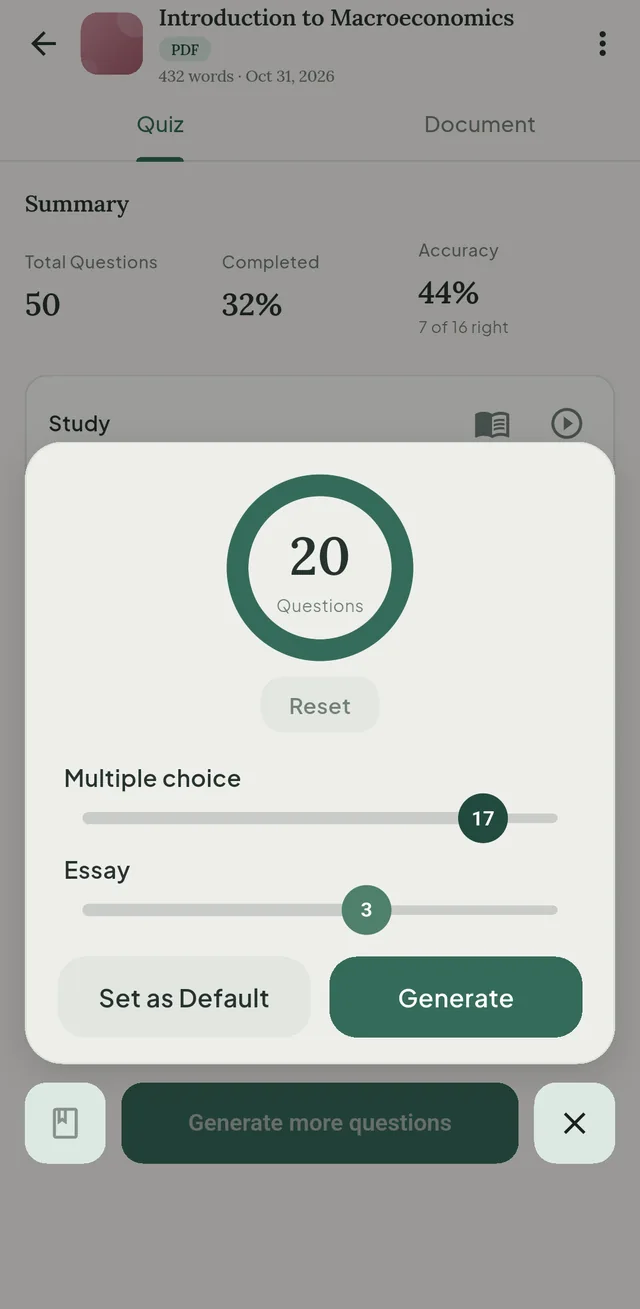
Set how many multiple-choice and essay questions a study set has. -
Generate. Tap Generate to make a study set with this mix. You can make a set of multiple-choice questions only, or of essays only.
Keep your mix
Section titled “Keep your mix”- Tap Set as Default to use your mix every time. The main button then shows it, for example “12 multiple choice · 3 essay”, and a message says Saved as your default.
- Tap Reset to go back to the standard set.
If the settings button looks greyed out, the document already has more than three study sets and some are not finished yet. Finish them first, and the button opens again.
The first time you make questions from a document you get two study sets. With a mix of your own, both are made of that mix.